MCP servers for SEO and GEOPart 5 of 6
MCP server metadata that earns links
MCP server metadata is what directories learn about your server without calling a tool: the description, website and icon in its handshake, plus a server card they can fetch. Adding those three handshake fields took our Manufact score from 68 to 83 and turned a page with no link to us into a followed backlink.
What is MCP server metadata?
MCP server metadata is the information a server gives about itself when a client connects: its name, title, version, description, website and icons, sent in the serverInfo part of the handshake. A server can also publish a server card and an AI catalog, so tools can read the same details over plain HTTP.
Directories build every listing from these fields. Without a description your listing is bare, without a website there's no link back, and without an icon it looks unfinished next to the rest. For SEO and GEO, the fuller listing pages are the ones that rank for "[product] mcp" and the ones AI answers describe accurately.
What should serverInfo include?
Set title, description, websiteUrl and icons in serverInfo, alongside the required name and version. The website is the field that earns a link; the description and icon decide how your listing reads.
| Where | Field | What directories do with it |
|---|---|---|
| Handshake | title, description | The name and summary on your listing |
| Handshake | websiteUrl | The link to your site |
| Handshake | icons | Your logo; 128 px or larger scores better |
/mcp/server-card | Server card JSON | Your details and endpoint, read without connecting |
/.well-known/ai-catalog.json | AI catalog | Points tools at your server cards |
The MCP TypeScript SDK accepts description, websiteUrl and icons from version 1.32. Keep the description under 100 characters, the server card's limit, and leave out pricing words such as "free", which editorial directories reject.
How did metadata change our Manufact score?
Our Manufact score went from 68 to 83 once the handshake named our website, description and icon, and the score page gained a followed link to workpods.ai. Before the change, the page's only followed link went to the server endpoint, because the handshake named no website.
| Manufact section | Before | After |
|---|---|---|
| Server metadata | 60/100 | 100/100 |
| Discoverability | 0 of 6 checks | 2 of 6 |
| Link to our site | None | Followed |
| Overall | 68 | 83 |
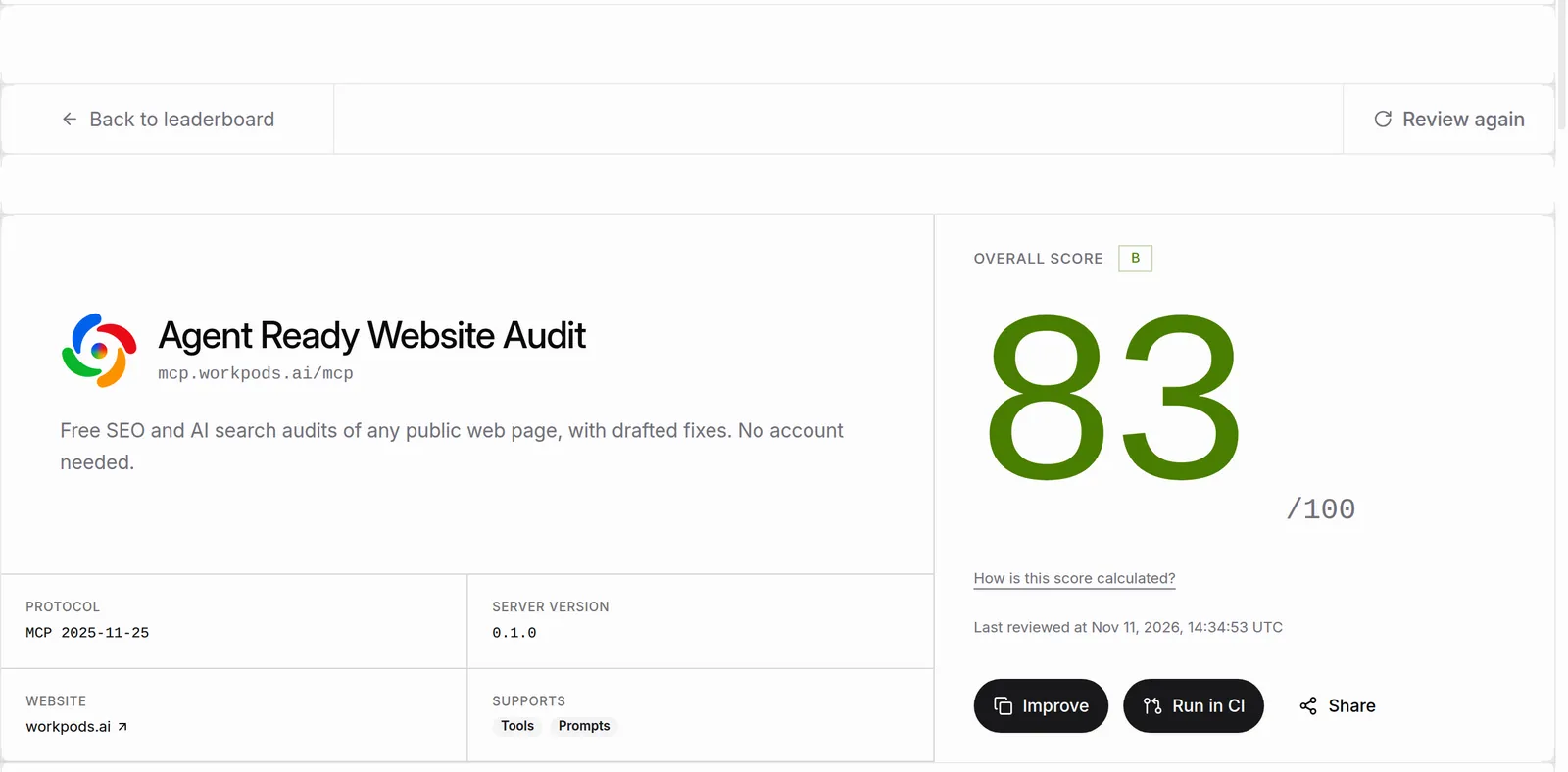 Our Manufact score page after the change: 83/100, with a followed link to our site. Checked 11 Nov 2026.
Protocol and tools stayed at 100, and tool documentation stayed at 82; Part 6, on MCP tool descriptions, covers that score. The live page is our Manufact leaderboard entry.
How do I add metadata to an MCP server?
Pass the description, website and icons in the server's implementation info, from one identity object that the server card also reads, so the two can't disagree.
import { McpServer } from '@modelcontextprotocol/sdk/server/mcp.js'

// The handshake and the server card both read this, so they can't disagree.
export const IDENTITY = {
  registryName: 'ai.workpods/agent-ready-mcp',
  title: 'Agent Ready Website Audit',
  description:
    'SEO and AI search audits of any public web page, with drafted fixes. No account needed.',
  websiteUrl: 'https://workpods.ai/tools/agent-ready',
  icons: [{ src: 'https://workpods.ai/favicon-512.png', mimeType: 'image/png', sizes: ['512x512'] }],
} as const

export function buildServer(version: string): McpServer {
  return new McpServer({
    name: 'agent-ready-by-workpods',
    title: IDENTITY.title,
    version,
    description: IDENTITY.description,
    websiteUrl: IDENTITY.websiteUrl,
    icons: IDENTITY.icons,
  })
}
Then check what a client actually receives:
curl -s https://mcp.example.com/mcp -X POST \
  -H 'content-type: application/json' \
  -H 'accept: application/json, text/event-stream' \
  -d '{"jsonrpc":"2.0","id":1,"method":"initialize","params":{"protocolVersion":"2025-06-18","capabilities":{},"clientInfo":{"name":"check","version":"1"}}}' \
  | grep -o '"serverInfo":{[^}]*}'
What is an MCP server card?
An MCP server card is a small JSON file, defined in the MCP proposal SEP-2127, that describes your server and how to connect to it. Directories and inspectors read it over HTTP, and an AI catalog at /.well-known/ai-catalog.json on your domain tells them where it is.
{
  "$schema": "https://static.modelcontextprotocol.io/schemas/v1/server-card.schema.json",
  "name": "ai.workpods/agent-ready-mcp",
  "title": "Agent Ready Website Audit",
  "description": "SEO and AI search audits of any public web page, with drafted fixes. No account needed.",
  "websiteUrl": "https://workpods.ai/tools/agent-ready",
  "remotes": [{ "type": "streamable-http", "url": "https://mcp.workpods.ai/mcp" }]
}
Use the same name as your entry in the official MCP Registry, and serve the card with access-control-allow-origin: * so browser-based inspectors can read it. Answer a browser that opens your MCP URL with a short setup page too, since Manufact counted the server card and the setup page as two of its six discoverability checks.
What should I fix first?
Fix the three handshake fields first, because every directory reads them and they take minutes. Then publish the server card and AI catalog, and ask each quality checker to review your server again.
- Add
description,websiteUrlandiconsto the handshake. - Serve a server card and list it in
/.well-known/ai-catalog.json. - Show a setup page when a browser opens your MCP URL.
- Press "Review again" on Manufact.
- List where pages rank and link back; see the MCP marketplace comparison.
The whole series is ranked in MCP servers for SEO and GEO. Agent Ready checks a domain for an AI catalog and server cards, and we set this up for clients as part of our agent platform listing work.
Questions
Questions buyers ask
What is an MCP server card?
A JSON file that describes an MCP server, its endpoint and how to connect, readable over HTTP without opening an MCP session. It's listed in /.well-known/ai-catalog.json on your domain.
Where should the server card live?
Anywhere on HTTPS, as long as your AI catalog points to it. We serve ours at /mcp/server-card on the server's own host.
How do I raise my MCP server's quality score?
Add a description, website and icons to the handshake, publish a server card and a setup page, and write clear tool descriptions. The first three took our Manufact score from 68 to 83.
Does the description length matter?
Yes. Server cards limit it to 100 characters, and directories show it under your name, so lead with what the server does.